Step by Step Remedy Screen Descriptions
Contents  
Home  

What is ICOA?

Phase Devel. Delivery Plan  
ICOA Team  
 Documentation  

 Support Web

Remedy for Defect Tracking
IS Homepage
Contact Us!  

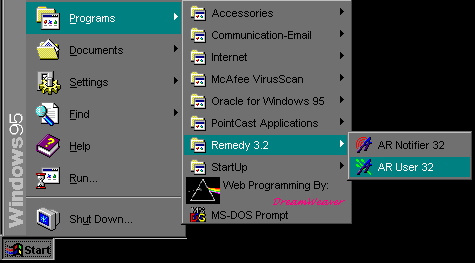
Jump Right to the Login Screen

Jump Right to the Create New Ticket Screen 

Jump Right to the Button Descriptions

When you first log in, the screen will look similar to this:


For the Screens Below, click on the buttons or areas to get a detailed description in the left side of the screen. 
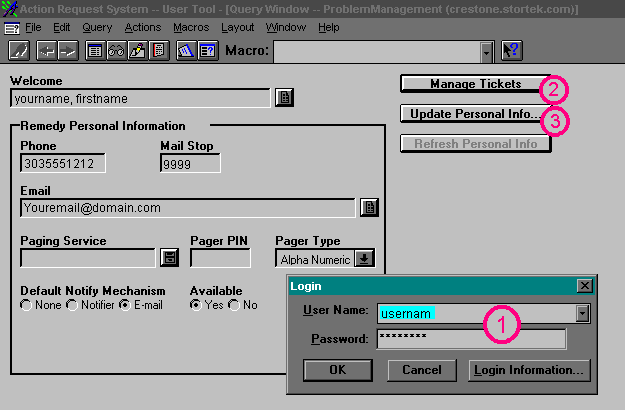


Manage Tickets Update Personal Information The Login Screen

Jump back to the top

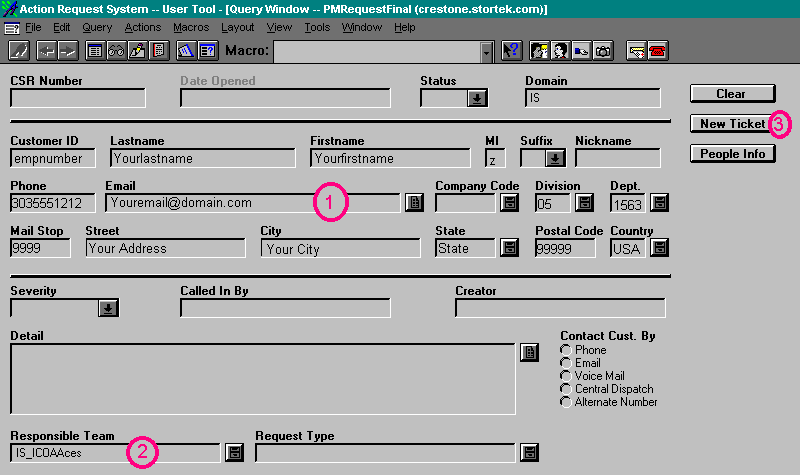
The Remedy User's Information Create a New Ticket. The Responsible Team Field

Jump back to the top

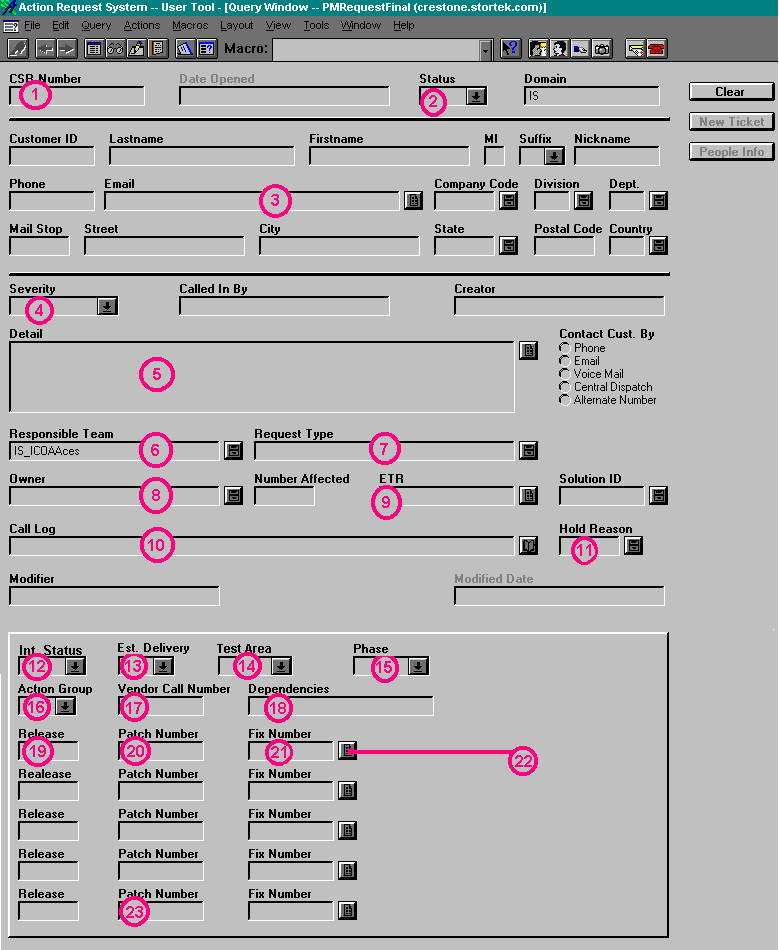
The CSR Call Tracking Number The Status of the Ticket The Defect Finder's Information The Severity of the Defect The Detail/Summary of the Defect The Responsible Team Field The Request Type The Owner/Responsible Analyst The ETR for the Fix. The Details of the Case Providing a Reason for a Hold Status The Current Internal Progress Not Currently Used in this Process The Test Area the Defect was Discovered in. Not Currently Used in the Procedure Not Currently Used in this Procedure An Astea Tracking Number The Countries that are Impacted Not Currently Used in this Procedure. The Patch Number of the Fix Another Astea Number. Details About the Fix This is for Pre-Migration Cases Only!

Jump back to the top