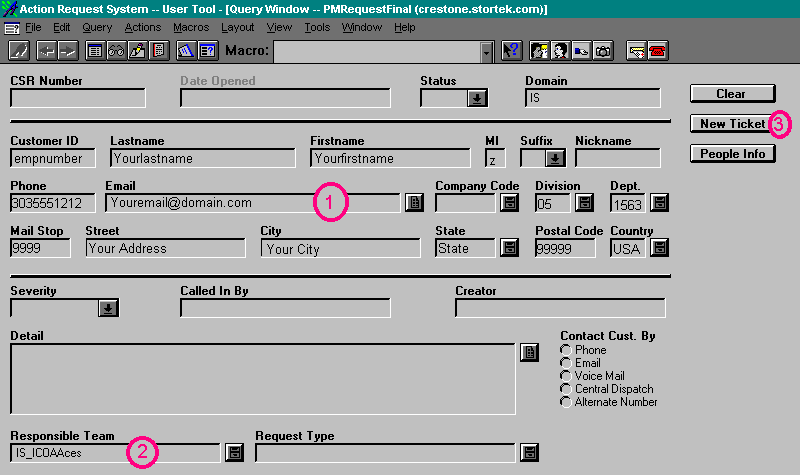
| Area 3 is the creator's information. In a new case, this will
be your information, in an existing case this area will show the individual
who first initiated the issue. If a remote user contacts someone to input
the case, then the creator of the case will enter the remote user's information.
Area 3 will always reflect the end user of the application. The person who
typed in the information (i.e. the person who is logged into the remedy
system and is logging the issue) is listed under the "Creator"
field. The Creator field and area 3 will seldom, if ever, be different in
this process, unless an analyst logs other people's findings for one reason
or another. |
Next
Back
Click
to return to the Main Menu.
|
 |
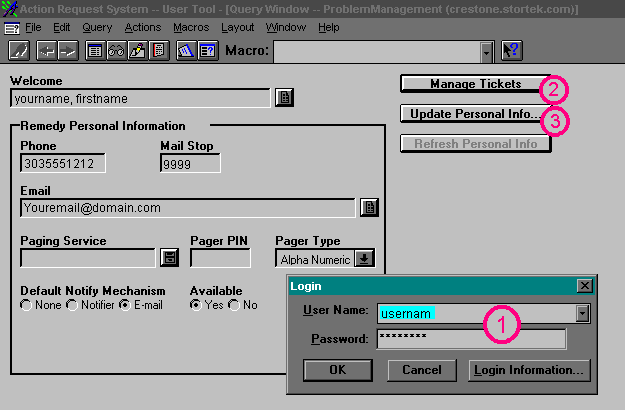
Jump Right to the Login Screen
Jump Right to the Create New Ticket Screen
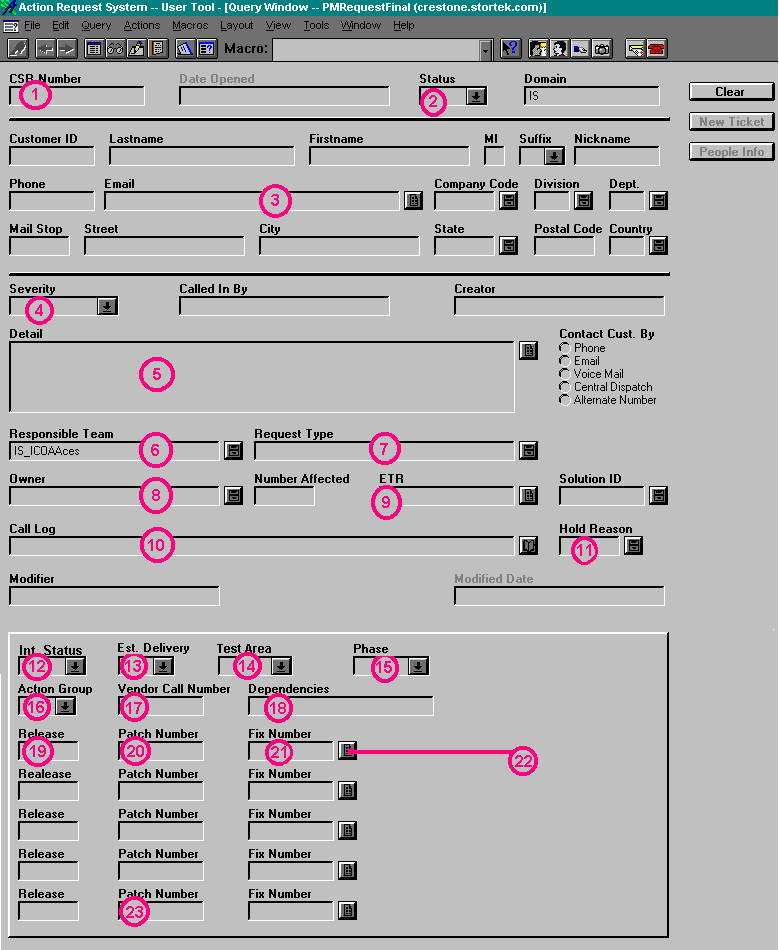
Jump Right to the Button Descriptions
When you first log in, the screen will look similar to this:
For the Screens Below, click on the buttons or areas to get a
detailed description in the left side of the screen.
 Jump back to the top
 Jump back to the top
 Jump back to the top
 |