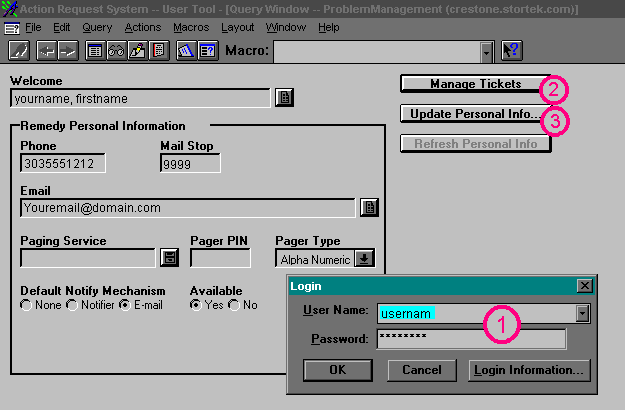
| Once you are logged on, your personal information screen will
appear with your name, phone number, mail stop, email address, and pager
number if applicable. To the right of this area is a Manage Tickets Button.
This will bring you into the Query and Submit screens where almost all of
your time will be spent. |
Next
Back
Click
to return to the Main Menu.
|
 |
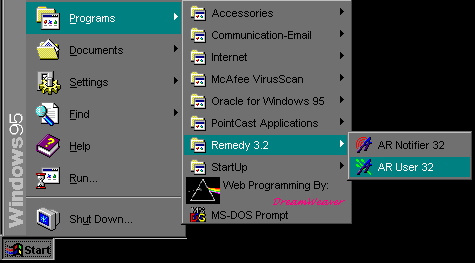
Jump Right to the Login Screen
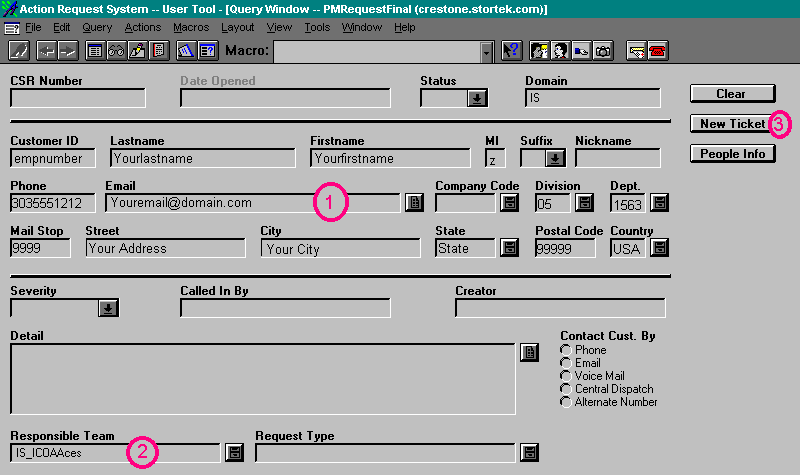
Jump Right to the Create New Ticket Screen
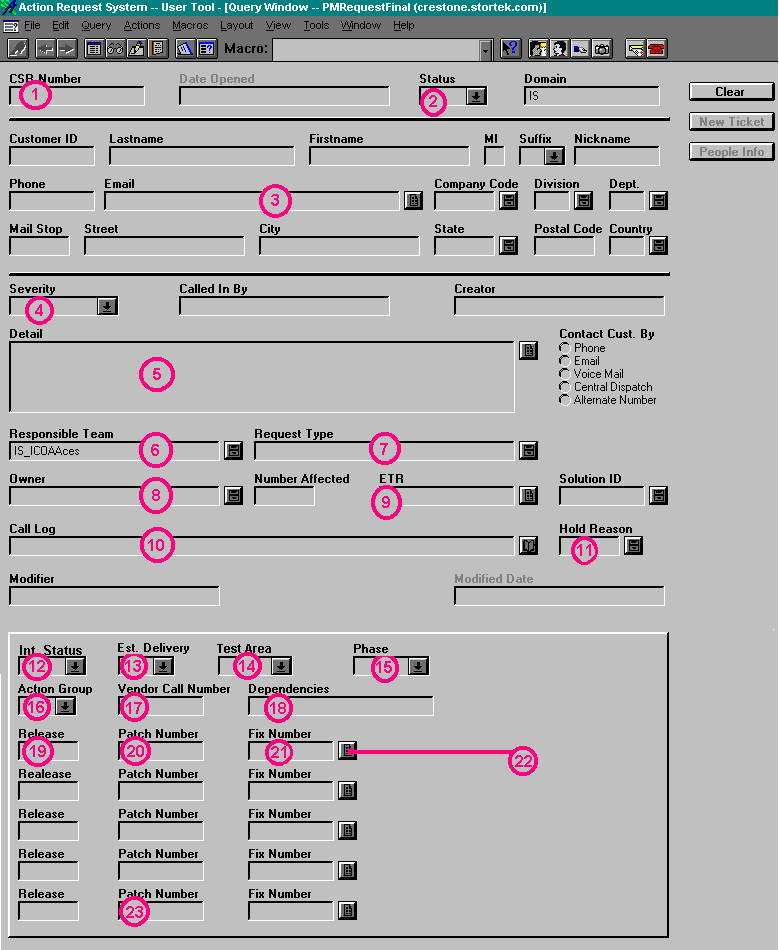
Jump Right to the Button Descriptions
When you first log in, the screen will look similar to this:
For the Screens Below, click on the buttons or areas to get a
detailed description in the left side of the screen.
 Jump back to the top
 Jump back to the top
 Jump back to the top
 |