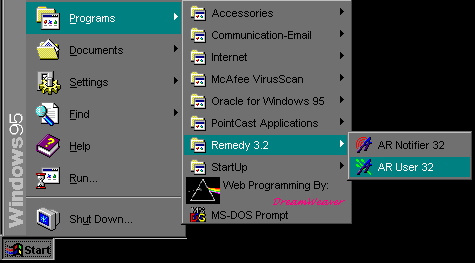
| The first screen to appear once the program is executed is
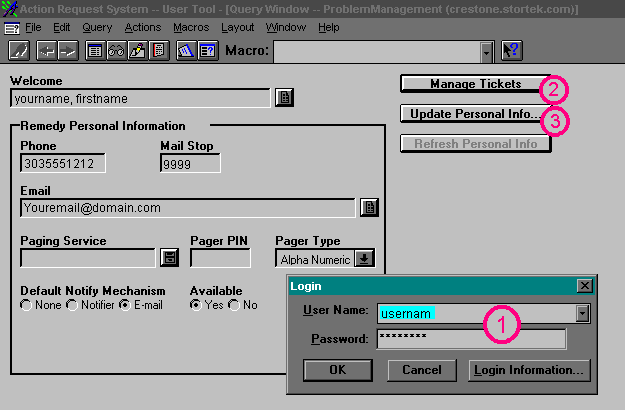
the login screen. This will be the first seven characters of your Exchange
ID. The password, initially, will be "password" all lower case.
It will not show you the password as you type it, and all entries must be
in lower case so ensure Caps Lock is off. If you don't have, or don't know,
your exchange ID, then use the last five letters of your last name, and
the first initial of your first and middle names. If your name is Jane Juliet
Smith, then your Login ID would be smithjj. |
Next
Back
Click
to return to the Main Menu.
|
 |
Jump Right to the Login Screen
Jump Right to the Create New Ticket Screen
Jump Right to the Button Descriptions
When you first log in, the screen will look similar to this:
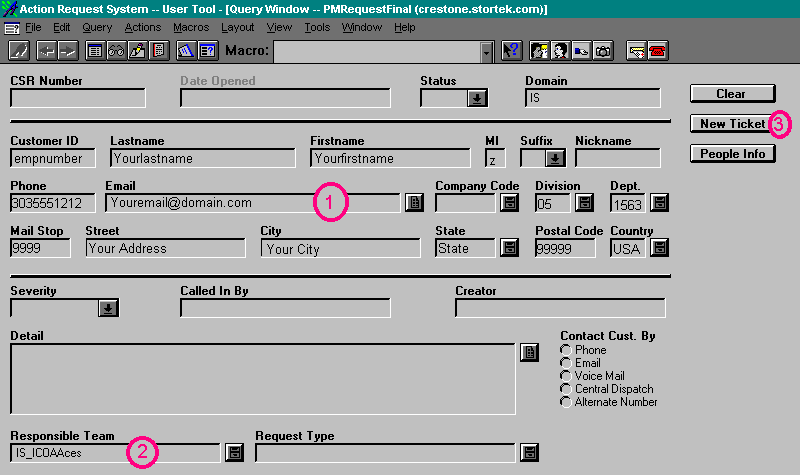
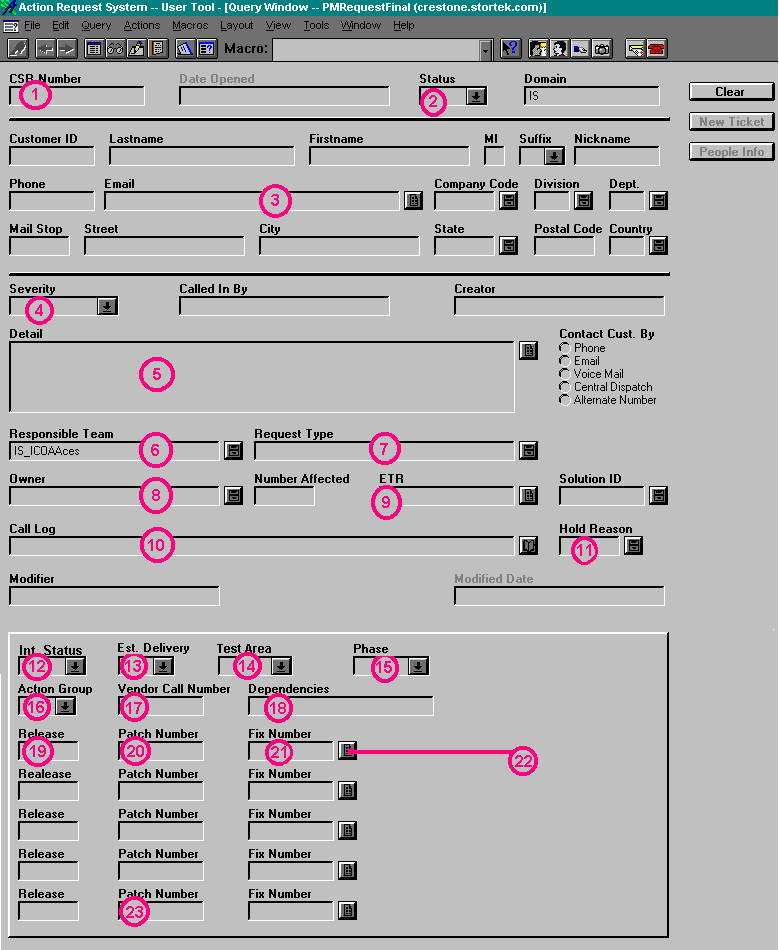
For the Screens Below, click on the buttons or areas to get a
detailed description in the left side of the screen.
 Jump back to the top
 Jump back to the top
 Jump back to the top
 |