Responsible Team represents the team that
is handling this issue. Anyone following the ICOA Defect Tracking Procedure
should have this field set to IS_ICOAAces. The European help desk will have
a different queue, however, once it is screened by the help desk agent and
assigned to our group, the team will be reflected correctly in this field.
As a general rule, for our purposes, always
have this set to IS_ICOAAces. |
Next
Back
Click
to return to the Main Menu.
|
 |
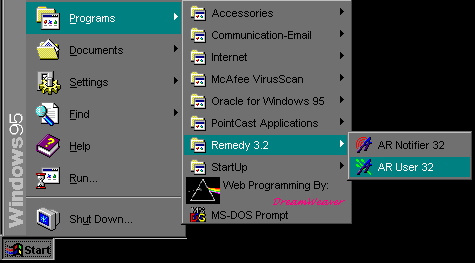
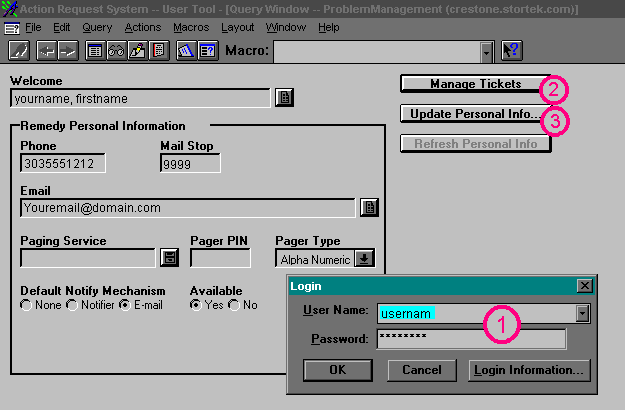
Jump Right to the Login Screen
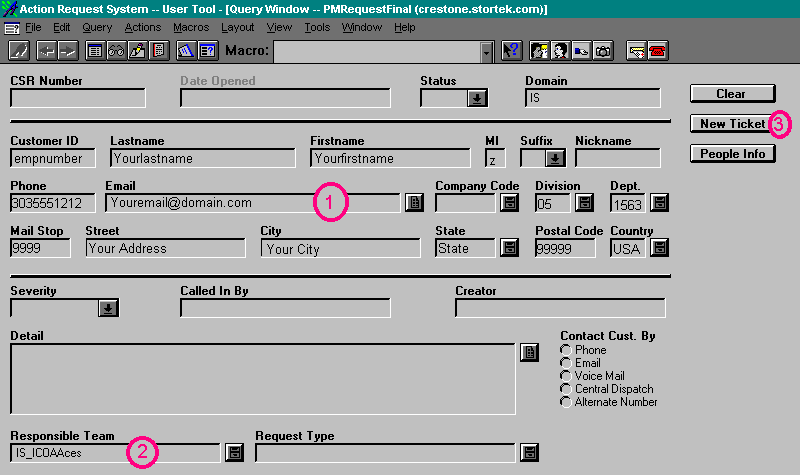
Jump Right to the Create New Ticket Screen
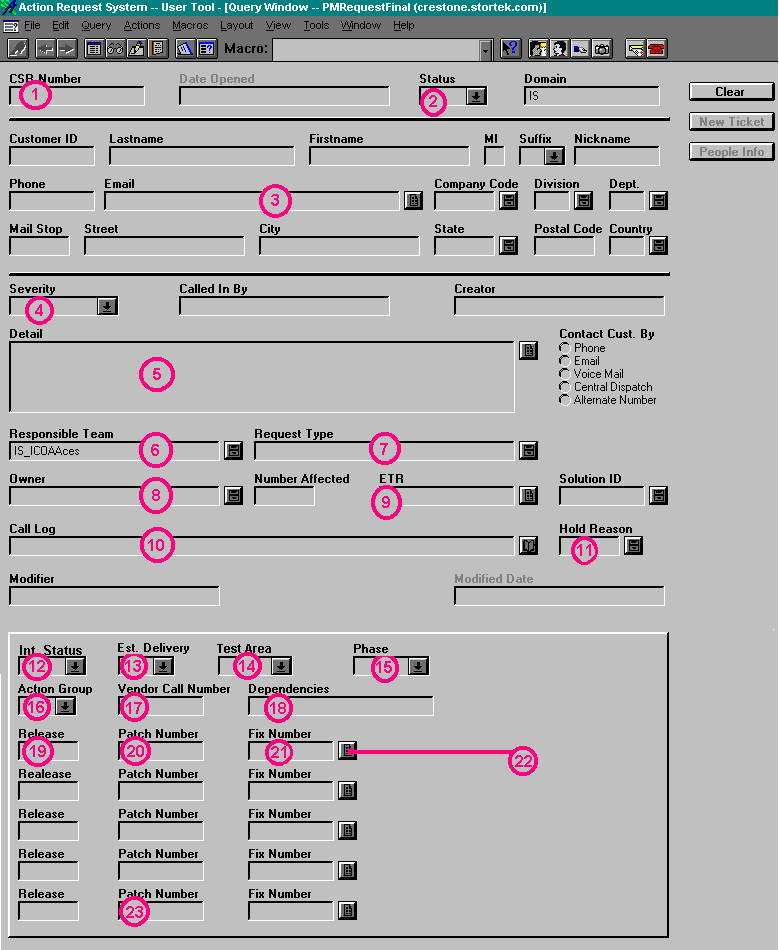
Jump Right to the Button Descriptions
When you first log in, the screen will look similar to this:
For the Screens Below, click on the buttons or areas to get a
detailed description in the left side of the screen.
 Jump back to the top
 Jump back to the top
 Jump back to the top
 |