| The Call Log is a library section wherein all details and
actions of the case are recorded. This is a virtually limitless field. The
toggle button on the right side of the field opens the library, and a split
screen will appear, showing previous comments in the top of the window (along
with a scroll bar), and a bottom window where the analyst can type their
comments. Changes to the status of the case will be time stamped, along
with the user name of the person performing the change, within this library.
Data herein can be cut and pasted to other documents, and should represent
every step that this defect has gone through so that it creates a history,
start to finish, of the defect's life cycle. |
Next
Back
Click
to return to the Main Menu.
|
 |
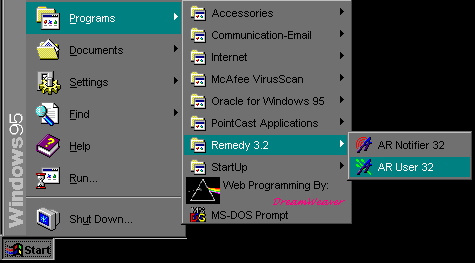
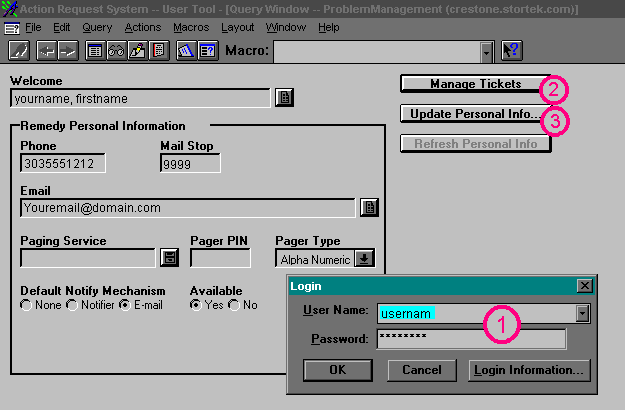
Jump Right to the Login Screen
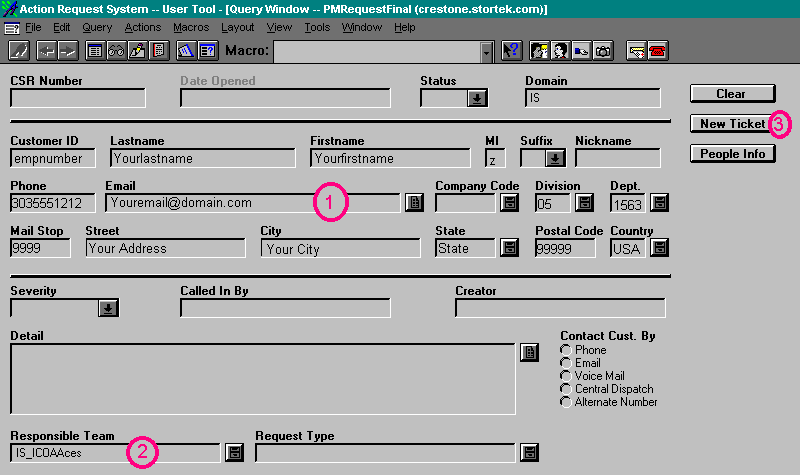
Jump Right to the Create New Ticket Screen
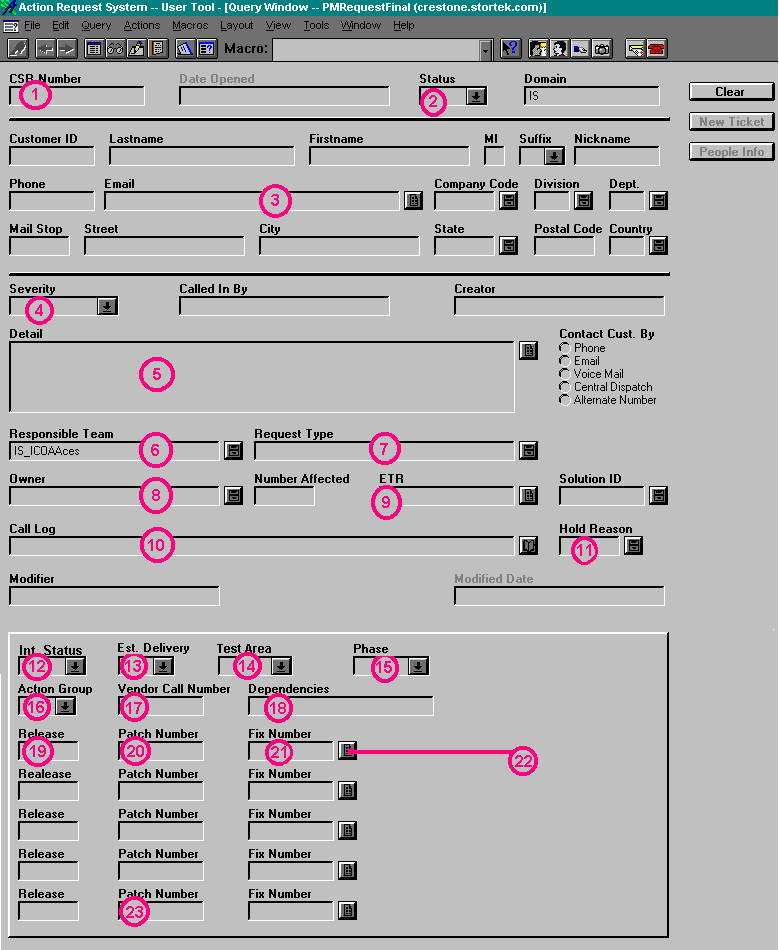
Jump Right to the Button Descriptions
When you first log in, the screen will look similar to this:
For the Screens Below, click on the buttons or areas to get a
detailed description in the left side of the screen.
 Jump back to the top
 Jump back to the top
 Jump back to the top
 |